Time tracking
Hours you can trust, from the jobsite to payroll.
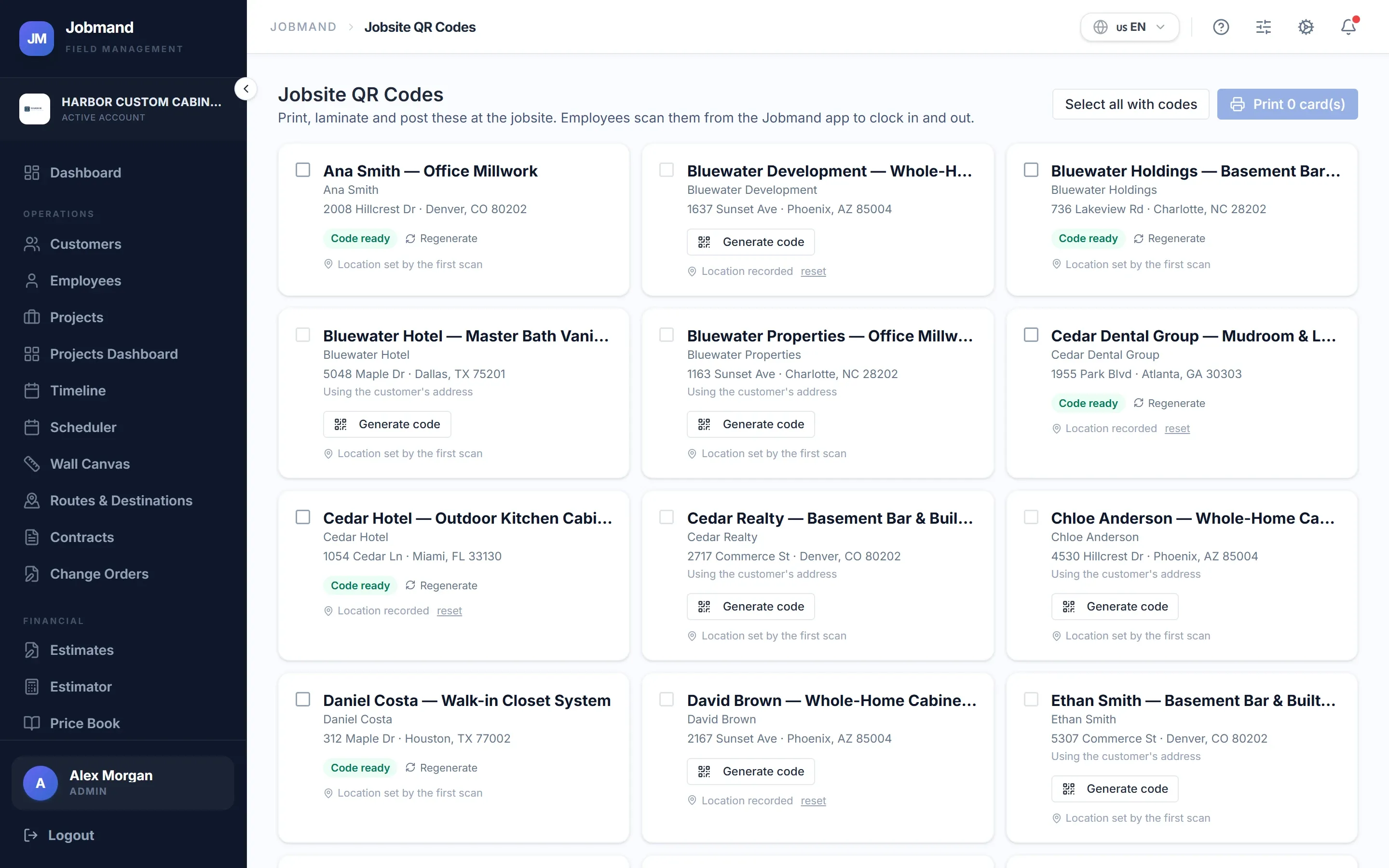
Print a QR code for each jobsite. A scan clocks the employee in, records where it happened, and creates the timesheet row you approve and pay.
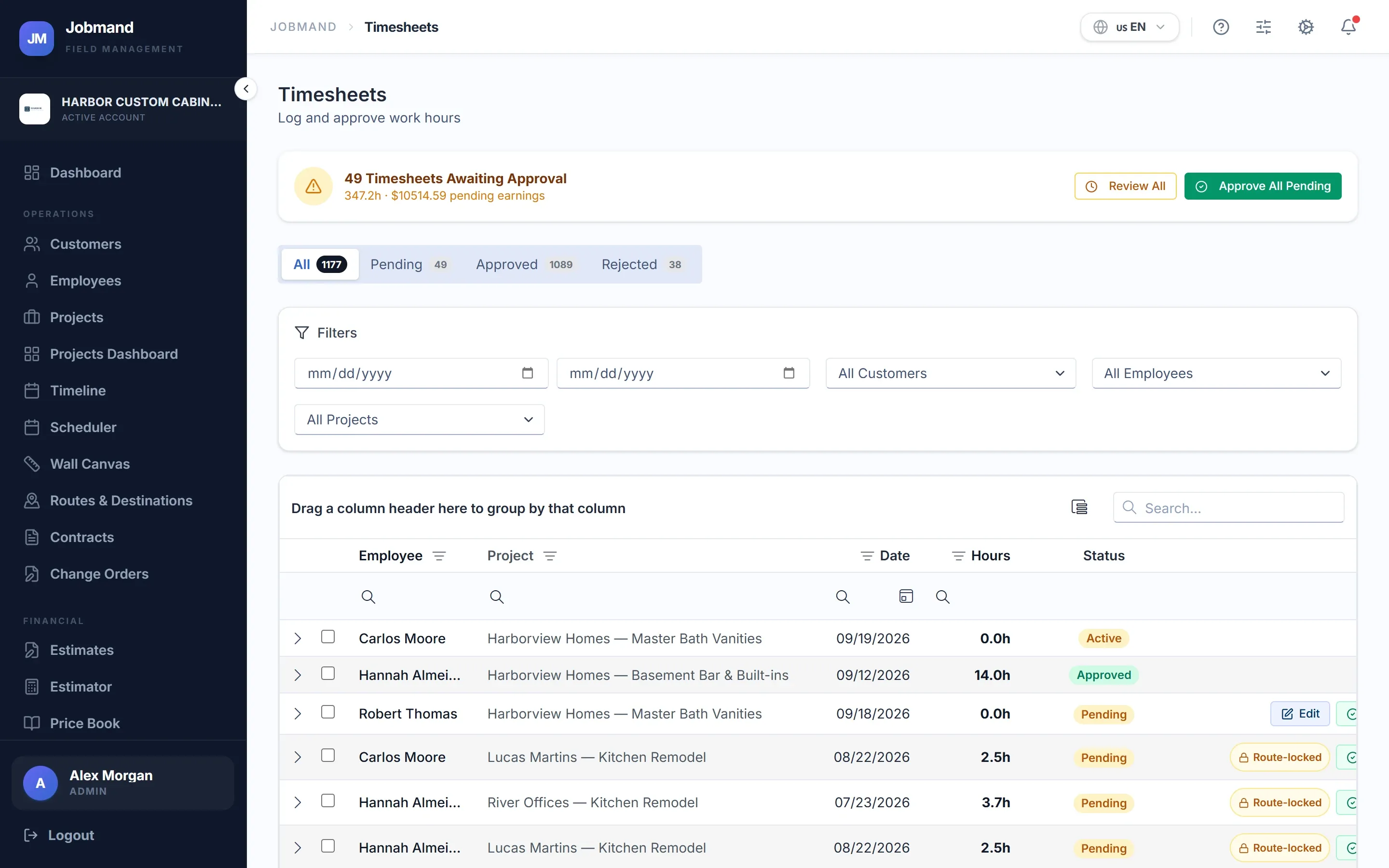
Scan to clock in
Post the sheet at the site entrance. Employees scan it with the Jobmand app to start the shift and scan again to finish it.
- One printable QR sheet per jobsite
- Clock in by QR code, by task, or both — your choice
- A scan with no signal is saved on the phone and syncs later
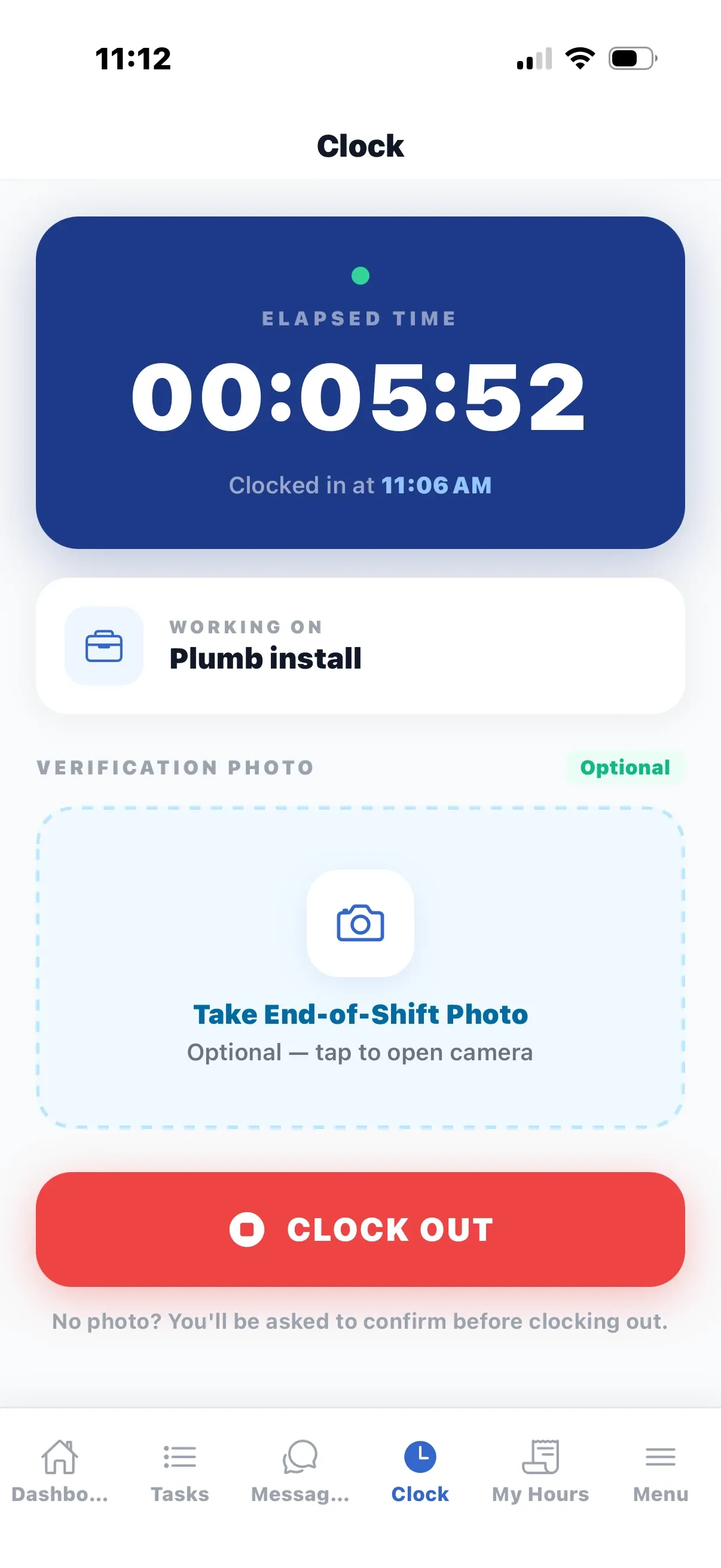
A location check on every punch
The app records the phone’s location with the scan. Punches that do not match the jobsite are marked for review instead of being silently accepted.
- Suspect punches listed on the Dashboard
- Clock-outs without a scan need a reason and are flagged
- Report R306 lists suspect clock punches
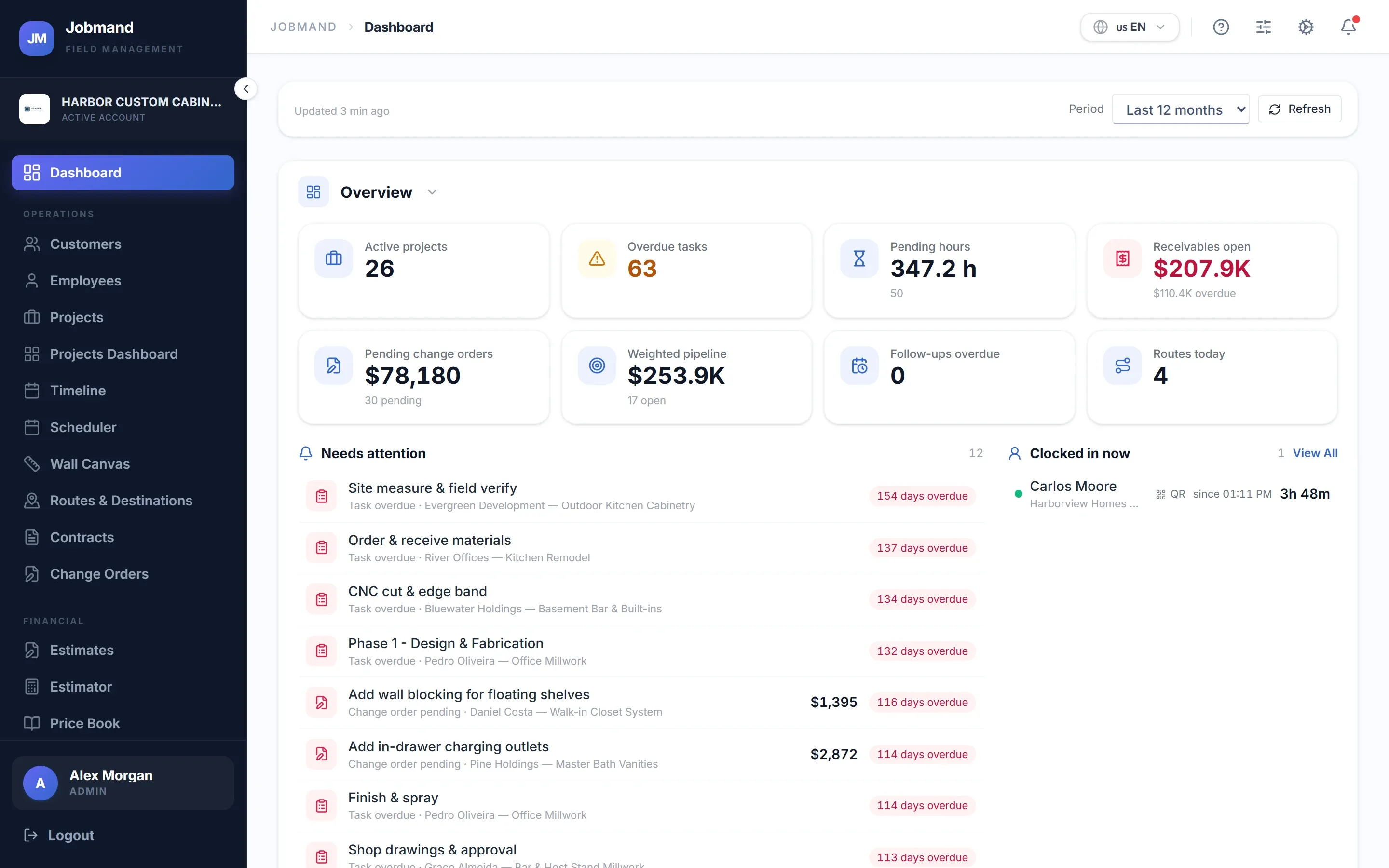
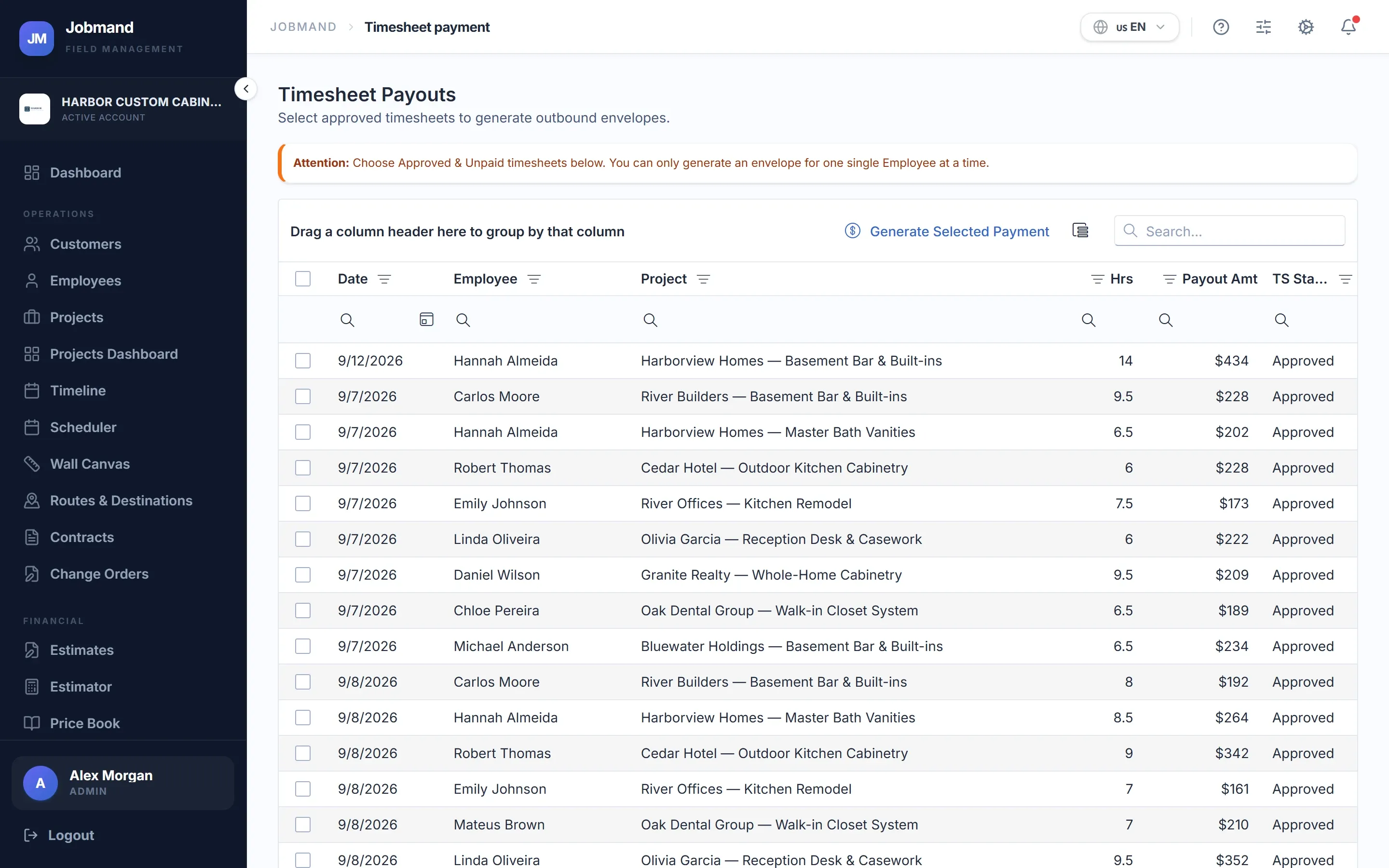
Approve, then pay
Review hours by employee and project, approve or reject, and pay the approved hours. The labor cost lands on the project automatically.
- Log hours manually when someone forgot
- Timesheet payment for approved hours only
- Employees see logged, approved and paid hours in My Hours
Modules in this area, and the plan each starts in
- Timesheets Every logged hour, with approval and rejection. Every plan
- Jobsite QR Codes Printable QR posters; scanning clocks in with a location check. Every plan
- Mobile crew app Tasks, clock, routes and hours on the phone, with offline sync. Every plan
- Employees Staff roster with roles and hourly rates. Starter and up
- Timesheet payment Pay approved hours and book the cost to the project. Plus and up
See your jobs, crews and cash in one place.
Start a 7-day trial on any plan, or talk to us first and we will walk you through it.